


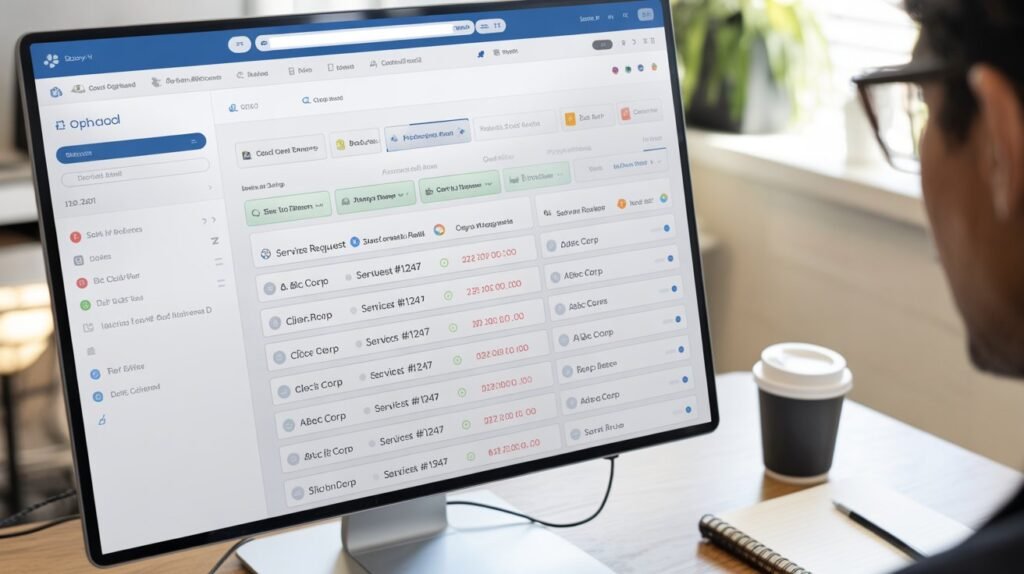
In a world where efficiency and organization determine business success, choosing the right online job sheet software is more important than ever. Whether you run a service-based company, a repair business, a construction firm, or a field service team, job sheet software helps streamline workflows, improve communication, and ensure smooth job tracking from start to finish.
But with dozens of tools available on the market, how do you know which one is right for your business? The key is understanding the essential features that make job sheet software effective, reliable, and scalable.
This article breaks down the top features to look for in online job sheet software, helping you choose a solution that boosts productivity, minimizes errors, and enhances customer satisfaction.
1. User-Friendly Interface
A great software tool should be simple and intuitive. Job sheet software is used daily by team members across different departments and skill levels.
A user-friendly interface ensures:
-
Faster onboarding
-
Reduced training time
-
Fewer mistakes while creating or updating job sheets
-
Efficient navigation and job management
Look for clean layouts, easy-to-understand menus, and dashboards that provide quick access to essential information.
2. Customizable Job Sheets
Every business has unique needs. The best online job sheet software should let you customize:
-
Job fields
-
Client details
-
Task descriptions
-
Material and labor sections
-
Deadlines and priority levels
Customizable templates ensure your job sheets match your workflows and industry-specific requirements. This feature also improves accuracy and consistency across all job entries.
3. Mobile Accessibility
Job sheet software should work seamlessly on mobile devices, especially for field service teams who work outside the office.
Mobile-friendly features may include:
-
Dedicated mobile apps
-
Offline mode for areas with poor connectivity
-
Instant job updates from the field
-
Ability to upload images, signatures, or notes on-site
Mobile access ensures real-time communication and prevents delays in job progress.
4. Real-Time Job Tracking
One of the most important features in online job sheet software is real-time tracking. This allows managers and team members to monitor job progress from start to finish.
Real-time tracking helps with:
-
Identifying delays early
-
Improving team coordination
-
Enhancing customer communication
-
Increasing overall productivity
When updates happen instantly, everyone stays informed and aligned.
5. Task Assignment and Scheduling Tools
Efficient job assignment is crucial for workflow management. Look for software that includes:
-
Drag-and-drop scheduling
-
Automated task assignment
-
Calendar syncing
-
Notifications and reminders
-
Availability tracking
This feature ensures the right tasks go to the right employees at the right time.
6. Integration with Other Business Tools
To avoid data duplication and workflow disruption, your job sheet software should integrate with:
-
Accounting software
-
CRM systems
-
Inventory management tools
-
Email and communication apps
-
Payment solutions
Integration increases automation and ensures a smoother, more connected business ecosystem.
7. Reporting and Analytics
Data-driven decision-making is essential in todays business environment. High-quality job sheet software should include detailed reporting features, such as:
-
Job performance analysis
-
Employee productivity reports
-
Cost tracking
-
Revenue insights
-
Time spent on each task
These insights help businesses identify inefficiencies, optimize resources, and drive long-term growth.
8. Cloud Storage and Security
Security is non-negotiable, especially when handling sensitive data such as client details, job histories, and financial information.
Key security features to look for:
-
Encrypted cloud storage
-
Role-based access control
-
Data backups
-
Secure login options (2FA)
Cloud-based access ensures your team can work from anywhere, while strong security protects your business information.
9. Customer Communication Tools
Good job sheet software should enhance communication, not complicate it. Some platforms offer features that allow businesses to:
-
Send job updates to customers
-
Share invoices or estimates
-
Provide job completion reports
-
Offer online booking options
These tools improve customer satisfaction and make your business appear more professional.
10. Signature Capture and File Attachments
In many industries, proof of work is essential. Look for software that allows users to:
-
Capture customer signatures
-
Attach photos or videos
-
Upload documents or notes
-
Store inspection reports
These attachments help maintain accurate job records and protect your business from disputes.
11. Automation Capabilities
Automation saves time and reduces manual work. The best online job sheet software may offer:
-
Recurring job scheduling
-
Auto-generated reports
-
Automated reminders for overdue tasks
-
Smart notifications
-
Pre-filled templates
Automation ensures smoother workflows and better consistency across your operations.
12. Scalability for Business Growth
Your business may grow, and so should your software. Choose a solution that:
-
Supports more users
-
Handles increasing job volume
-
Offers advanced features for expanding needs
-
Allows upgrades at reasonable prices
Scalability ensures you wont need to switch tools as your business evolves.
Read More: How to Choose the Best Online Job Sheet Software for Your Business
Conclusion
Choosing the right online job sheet software can transform the way your business manages workflow, communication, and job tracking. Look for essential features like mobile accessibility, real-time updates, automation, strong security, and integration capabilities. By selecting software that meets your teams needs today and grows with your business tomorrow, you set the foundation for improved efficiency, smoother operations, and higher customer satisfaction.
Investing in the right job sheet software is not just about technologyit’s about empowering your team and elevating your business performance.