


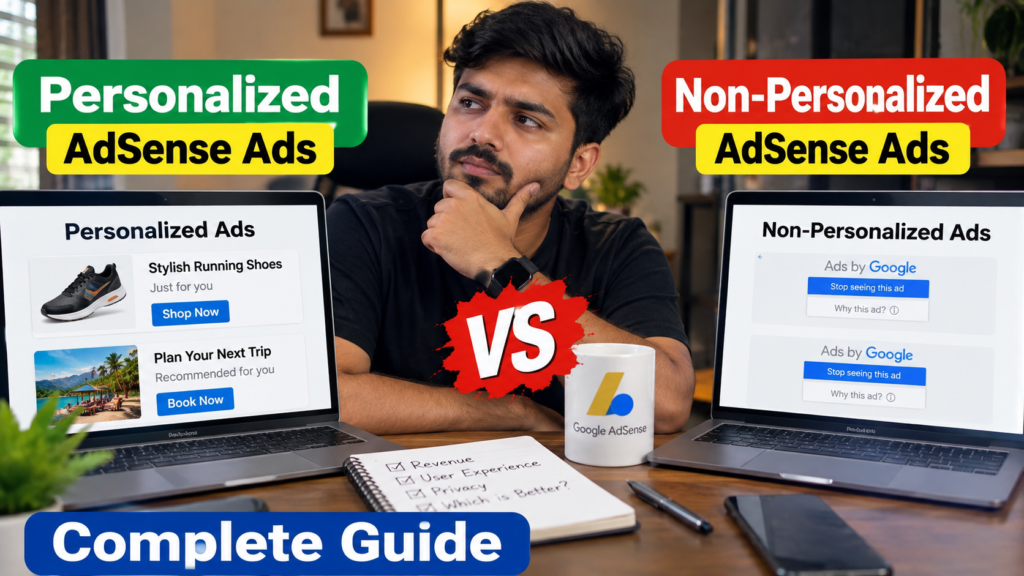
Understanding personalized vs non-personalized AdSense ads is important for publishers managing user consent, advertising relevance and regional privacy requirements.
Personalized advertising uses previously collected or historical information that may influence which advertisement is selected for a particular user. Non-personalized advertising does not use the visitor’s past behaviour for ad targeting. It primarily uses contextual signals such as the current page, general location and current search terms. 1
However, non-personalized ads should not be confused with limited ads. These are separate ad-serving modes with different data-use, consent and demand characteristics.
This guide explains how each advertising mode works, when it may be used and how to review its performance in Google AdSense.
What Are Personalized AdSense Ads?
Personalized ads are selected using information related to a particular user’s previous activity, interests or characteristics.
Google considers an advertisement personalized when previously collected or historical information determines or influences ad selection. Examples can include:
- Previous searches
- Websites or applications visited
- Approximate location
- Demographic information
- Interest categories
- Remarketing lists
- Customer Match lists
- Advertiser-uploaded audience lists
Personalized advertising helps advertisers reach audiences that may be more relevant to their products and services. Google says it can improve advertising relevance, advertiser return on investment and publisher monetization efficiency. However, this does not guarantee that personalized ads will always generate higher earnings on every website. 1
Example of a Personalized Ad
Suppose a visitor previously searched for website hosting and visited several hosting-company websites. Later, the visitor opens an article about WordPress.
A hosting advertisement appearing on the WordPress article may be influenced by:
- The visitor’s previous activity
- Their inferred technology interests
- An advertiser’s remarketing audience
- The current article’s content
In that situation, ad selection can use both the visitor’s history and the page’s context.
What Are Non-Personalized AdSense Ads?
Non-personalized ads, frequently called NPA, are not selected using the visitor’s past behaviour.
Instead, Google can use contextual information such as:
- Content on the current page
- Current search-query terms
- Coarse location information, such as city-level location
- Current website or application
- General advertising context
When serving non-personalized ads, AdSense does not use demographic targeting, user-list targeting or other interest-based audience targeting for ad selection. 1
Example of a Non-Personalized Ad
A visitor opens an article titled:
How to Create an Ads.txt File for AdSense
Google may display an advertisement for:
- WordPress hosting
- Website-security software
- Blogging tools
- Domain-registration services
- Advertising-management software
The advertisement can be selected because it relates to the article’s content rather than because of the visitor’s previous browsing activity.
Personalized vs Non-Personalized AdSense Ads Comparison
| Feature | Personalized ads | Non-personalized ads |
|---|---|---|
| Previous user activity used for targeting | Yes, when permitted | No |
| Interest-category targeting | Supported | Not supported |
| Demographic targeting | Supported | Not supported |
| Remarketing | Supported when permitted | Not supported for NPA selection |
| Contextual targeting | Supported | Supported |
| Coarse location targeting | Supported | Supported |
| Current-page content | Can influence selection | Primary targeting signal |
| Cookies or identifiers | May be used | May still be used for limited purposes |
| Consent considerations | Consent may be required | Cookie consent may still be required |
| Revenue level | Depends on demand and users | Depends on contextual demand |
| Guaranteed higher RPM | No | No |
Both advertising modes can use the content of the current page. The main difference is whether historical or previously collected user information can influence ad selection. 1
Are Non-Personalized Ads Cookie-Free?
No. This is one of the most common misconceptions about non-personalized advertising.
Non-personalized ads do not use cookies or mobile advertising identifiers for personalized targeting. However, Google says cookies or identifiers may still be used for:
- Frequency capping
- Aggregated advertising reporting
- Fraud and invalid-traffic protection
- Delivering and presenting advertisements
Therefore, consent may still be required for these technologies in countries where applicable cookie rules require it, including certain EEA countries, the UK and Switzerland. 1
Do not tell visitors that non-personalized advertisements use “no cookies” unless your complete implementation has been reviewed and that statement is accurate.
Personalized Ads vs Limited Ads
Limited ads are different from non-personalized ads.
Limited ads disable the collection, sharing and use of personal data for ad personalization. However, normal ad-delivery technology can still be cached or installed, IP addresses can still be used to transmit advertisements and creatives can be sent to and cached on devices. 3
When programmatic limited ads are enabled, Google can use invalid-traffic-detection-only cookies and local storage to help protect against fraud and abuse. This can unlock contextual demand from Google and eligible Authorized Buyers. 3
| Serving mode | Historical data for personalization | Contextual demand | Personalization |
|---|---|---|---|
| Personalized ads | Yes, when permitted | Yes | Enabled |
| Non-personalized ads | No | Yes | Disabled |
| Limited ads | No | Limited contextual eligibility | Disabled |
| Restricted data processing | Limited according to applicable settings | Yes where eligible | Disabled |
Limited ads are not the same as an account-level limited ad serving enforcement. Limited ad serving reduces the number of advertisements that an account can show, while limited ads restrict how personal data is used for ad serving. 4
When Does AdSense Use Each Ad-Serving Mode?
The exact mode can depend on:
- Visitor consent
- CMP signals
- Regional requirements
- Publisher settings
- Advertising tag configuration
- Availability of contextual demand
- Whether limited ads are enabled
A simplified consent flow may look like this:
Personalized Advertising
Personalized ads may be eligible when:
- The visitor has provided the required consent.
- The CMP sends valid consent signals.
- Google has the required vendor and purpose permissions.
- No more restrictive privacy treatment applies.
Non-Personalized Advertising
Non-personalized ads may be eligible when:
- The visitor does not allow ad personalization.
- The required permission for cookies or local storage used by NPA has been obtained where necessary.
- The CMP sends valid signals allowing non-personalized ad delivery.
Limited Ads
Limited ads may be used when the visitor’s preferences do not permit personalized or non-personalized ads, but the necessary transparency has been established for applicable special purposes and Google as a vendor. Programmatic demand depends on the publisher’s limited-ads setting. 3
The CMP and AdSense should determine the suitable mode from valid consent signals. Publishers should not override or misrepresent a visitor’s selection to improve advertising revenue.
AdSense Consent Requirements
Publishers serving personalized ads to users in the EEA, UK and Switzerland must use a Google-certified CMP integrated with the IAB Transparency and Consent Framework.
This requirement has applied:
- In the EEA and UK since January 16, 2024
- In Switzerland since July 31, 2024
The requirement is based on the visitor’s location, not only the publisher’s location. An Indian or US-based website may therefore need an eligible CMP when serving personalized ads to visitors in those regions. 5
Google’s European regulations message can request consent for personalized advertising and additional purposes. Current messages support IAB TCF v2.3. 6
How to Configure European Ad Personalization
A suitable modern implementation should use Google’s CMP or another certified TCF CMP rather than depending only on custom JavaScript.
Step 1: Open Privacy & Messaging
- Sign in to Google AdSense.
- Open Privacy & messaging.
- Select European regulations.
- Create or manage your consent message.
Step 2: Select Your Websites
Choose every AdSense website where the European regulations message should appear.
Confirm that:
- The correct domain is selected.
- The AdSense code is installed.
- The publisher ID matches the account.
- The message is published rather than saved as a draft.
Step 3: Configure User Choices
Depending on your setup, visitors can receive options such as:
- Consent
- Do not consent
- Manage options
Your message should clearly explain why data is requested and provide access to information about the advertising vendors being used. Google states that publishers remain responsible for ensuring that their messages satisfy applicable legal requirements. 6
Step 4: Review Vendor and Purpose Settings
Make sure the CMP:
- Supports TCF v2.3
- Includes the correct advertising vendors
- Sends valid consent signals
- Loads before eligible advertising requests
- Preserves the visitor’s selection
- Provides a consent-revocation option
Step 5: Test All Choices
Test:
- Consent to all
- Reject all
- Custom choices
- Consent withdrawal
- Mobile message
- Desktop message
- Logged-out visitor experience
Do not test only the “Consent” option. Confirm that advertisements also behave appropriately after rejection and custom selections.
Global Ad-Serving Controls
AdSense provides advertising controls under:
Brand safety → Content → Blocking controls → Manage Ad serving
The controls can include:
- User-based ads
- Limited ads
- First-party cookies
- Other supported auction or format options
The user-based-ads control lets publishers manage whether ads based on interests, demographics and Google Account information are displayed. However, Google states that this control does not override regional consent settings and does not affect remarketing based on a user’s previous interaction with an advertiser. 7
Therefore, turning off user-based ads should not be treated as a complete replacement for a consent-management platform.
How to Request Non-Personalized Ads Per Page
Google’s asynchronous AdSense tags support pausing ad requests while a consent choice is being collected.
A simplified implementation pattern is:
<script async
  src="https://pagead2.googlesyndication.com/pagead/js/adsbygoogle.js?client=ca-pub-1234567890123456"
  crossorigin="anonymous">
</script>

<script>
  (adsbygoogle = window.adsbygoogle || []).pauseAdRequests = 1;
</script>
After the visitor declines ad personalization, an implementation can set:
<script>
  (adsbygoogle = window.adsbygoogle || []).requestNonPersonalizedAds = 1;
  (adsbygoogle = window.adsbygoogle || []).pauseAdRequests = 0;
</script>
If the visitor provides the required consent for personalized ads, resume requests without setting the non-personalized request value:
<script>
  (adsbygoogle = window.adsbygoogle || []).pauseAdRequests = 0;
</script>
Google warns that these code examples are implementation hints rather than complete working consent solutions. If pauseAdRequests is not reset to 0, no advertisements will appear. Publishers in the EEA, UK and Switzerland should follow the current certified-CMP and TCF requirements. 8
Do not add this code if your existing CMP already manages AdSense requests. Duplicate consent logic can send inconsistent signals.
How to Track Personalized and Non-Personalized Ads
AdSense provides a Serving restriction breakdown in reporting. It can help publishers compare advertising traffic affected by different privacy treatments.
Available categories can include:
- Limited ads
- Restricted data processing
- Non-personalized ads
- Basic ads
- Personalization disabled
- No restriction
“No restriction” generally represents ads personalized using available identifiers. Serving-restriction reporting is unavailable for dates before October 11, 2024. Policy-related restrictions are not included and should be reviewed separately in the Policy Center. 9
How to Create the Report
- Sign in to AdSense.
- Open Reports.
- Create a custom report.
- Add the Serving restriction breakdown.
- Select a suitable date range.
- Compare estimated earnings, impressions and RPM.
- Add country and device filters where useful.
Compare:
- Estimated earnings
- Ad impressions
- Coverage
- Page RPM
- Ad RPM
- Country
- Device
- Serving restriction
- Date
Avoid comparing only one day of data. Consent rates and advertiser demand can vary by date, region and visitor mix.
Why Reports May Look Confusing
Even after selecting non-personalized ads, you might see advertisements classified under a personalized targeting type in some reports.
Google explains that personalized-targeting reports can include contextual targeting when user information, such as a cookie ID, is unavailable. Therefore, a reporting label does not necessarily mean that historical personal data was used to select the advertisement. 10
Use the Serving restriction breakdown when you specifically want to compare personalized, non-personalized and limited serving modes.
Which Type of Ad Earns More?
There is no universal answer.
Personalized ads can create greater advertiser relevance and may increase advertiser demand because campaigns can reach particular interests, demographics or audiences. However, earnings still depend on:
- Visitor country
- Content niche
- Advertiser competition
- Device
- Ad placement
- Viewability
- Season
- Traffic quality
- Available contextual demand
Non-personalized ads can still receive contextual and placement-targeted demand. Advertisers may target a particular website or page regardless of an individual visitor’s interests or demographic information. 11
Do not pressure visitors into accepting personalized advertising to increase revenue. Consent choices should be clear and accurately respected.
Can You Force All Visitors to Receive Non-Personalized Ads?
AdSense supports non-personalized ad requests in different regions, and ads-personalization settings can be managed globally. Publishers can also use page-level signals for specific requirements. 12
However, before forcing non-personalized advertising for all visitors, consider:
- Whether your CMP already controls personalization
- Whether cookies are still used for frequency capping
- Whether consent is required
- Potential effects on advertising demand
- Regional privacy settings
- Other Google-product integrations
- Whether a more restrictive signal already applies
Google says the most restrictive signal takes precedence when an advertising request contains multiple privacy treatments. 13
Common Mistakes to Avoid
Assuming Non-Personalized Means No Consent
NPA can still use cookies or identifiers for frequency capping and aggregated reporting. Consent may still be required where applicable.
Confusing Limited Ads With Limited Ad Serving
Limited ads are a privacy-related serving mode. Limited ad serving is an account-level traffic-quality restriction.
Using a Basic Cookie Notice Without a Certified CMP
A generic cookie banner may not satisfy Google’s requirements for personalized ad serving to users in the EEA, UK and Switzerland.
Loading Ads Before the Consent Choice
If you use a custom implementation, advertising requests may be sent before the CMP returns the visitor’s selection.
Running Two CMPs
Two banners or consent systems can overwrite each other’s signals and create an inconsistent experience.
Assuming NPA Always Produces Lower Earnings
Revenue differences depend on your website and demand. Use the Serving restriction report instead of relying on a universal claim.
Disabling User-Based Ads and Assuming Remarketing Is Disabled
Google states that its user-based-ads account control does not affect remarketing based on previous interaction with an advertiser. 7
Personalized and Non-Personalized Ads Checklist
- A suitable Google-certified CMP is active where required.
- The CMP supports the current TCF version.
- The European regulations message is published.
- Personalized ads are requested only when permitted.
- Non-personalized requests reflect actual user choices.
- NPA is not described as completely cookie-free.
- Limited ads are not confused with limited ad serving.
- The privacy policy explains advertising data use.
- Visitors can change their consent choices.
- The CMP appears on every relevant page.
- AdSense requests do not fire prematurely.
- Duplicate CMPs and consent scripts have been removed.
- Mobile and desktop consent flows have been tested.
- Serving restrictions are monitored in AdSense reports.
- Policy issues are reviewed separately in Policy Center.
- The configuration has been reviewed for applicable legal requirements.
Frequently Asked Questions
What is the difference between personalized and non-personalized AdSense ads?
Personalized ads can use historical information, interests, demographics and audience lists. Non-personalized ads do not use past user behaviour for ad selection and instead rely mainly on contextual information and coarse location. 1
Are non-personalized AdSense ads contextual?
Yes. Non-personalized ads can use information from the current page, current query and general location to select relevant advertisements.
Do non-personalized ads use cookies?
They may use cookies or mobile identifiers for frequency capping and aggregated reporting. Therefore, NPA should not automatically be described as cookie-free. 1
Are non-personalized ads the same as limited ads?
No. Limited ads apply a more restrictive data-use mode and can use separate programmatic-demand rules. Limited ads are also different from an account-level ad-serving limit. 3
Do personalized ads always pay more?
No. Personalized advertising can improve relevance and advertiser value, but earnings depend on many factors. Google does not guarantee a specific RPM for either mode.
Can non-personalized ads still use location?
Yes. Google says NPA can use coarse geo-targeting, such as city-level location, as contextual information. 1
Is a CMP required for an Indian website?
It can be required when the website serves personalized ads to visitors in the EEA, UK or Switzerland. The requirement depends on the eligible visitor’s location rather than only the publisher’s country. 5
How can I compare personalized and non-personalized revenue?
Create an AdSense report and add the Serving restriction breakdown. Compare no-restriction, NPA, limited-ads and other applicable categories. 9
Can I request NPA on individual pages?
Yes. Google’s asynchronous AdSense tags support page-level non-personalized requests, but a certified CMP should be used where required, and custom code should not conflict with an existing consent implementation. 12
What happens if ad requests remain paused?
If your implementation sets pauseAdRequests=1 but never resets it to 0, AdSense will not send ad requests and no advertisements will appear. 8
Conclusion
The main difference between personalized vs non-personalized AdSense ads is whether historical user information can influence ad selection.
Personalized ads can use interests, demographics, previous activity and audience lists where permitted. Non-personalized ads rely primarily on contextual information, but they may still use cookies or identifiers for frequency capping and aggregated reporting.
Limited ads are a third, separate privacy-related mode and should not be confused with an account-level ad-serving limit.
For a compliant setup, use a certified CMP where required, accurately respect each visitor’s selection and use AdSense’s Serving restriction breakdown to compare real performance. Do not select an advertising mode only because someone claims that it guarantees a higher CPC or RPM.