


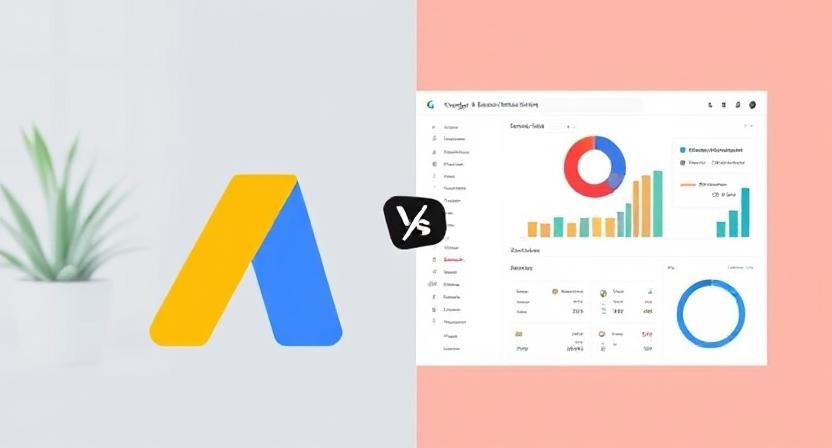
Google AdSense is a powerful platform for website owners and content creators to monetize their digital spaces through targeted advertising. In 2025, publishers can access their AdSense accounts via two primary interfaces: the Google AdSense app and the traditional web dashboard. While both serve similar purposes—allowing publishers to monitor earnings, analyze performance, and manage settings—each has unique advantages and limitations. This article provides a comprehensive comparison of the Google AdSense app versus the web dashboard, helping you decide which tool best suits your monetization and management needs this year.
Overview: What Are the Google AdSense App and Web Dashboard?
-
Google AdSense Web Dashboard: The original, full-featured online interface accessed through desktop browsers. It provides comprehensive data, detailed reports, ad unit creation tools, and advanced account settings.
-
Google AdSense Mobile App: Launched to bring AdSense account management to smartphones and tablets, offering real-time notifications, on-the-go earnings tracking, simplified reporting, and basic account controls tailored for mobile use.
Key Features of Google AdSense Web Dashboard
1. In-Depth Reporting and Analytics
The web dashboard offers detailed performance reports including:
-
Revenue breakdown by date, site, or ad unit.
-
Click-through rate (CTR) and cost per click (CPC) analytics.
-
User demographics, device segmentation, and geographic insights.
-
Customizable reporting tools for granular analysis.
2. Comprehensive Account Management
-
Ability to create, edit, and manage ad units and ad styles.
-
Access to payment information, verification status, and tax details.
-
Advanced options for blocking controls and policy compliance.
-
Experimentation with new ad formats and beta features.
3. Integration With Other Google Services
The web dashboard seamlessly integrates with Google Analytics and Google Ads for holistic digital marketing and monetization oversight.
Key Features of Google AdSense Mobile App
1. Real-Time Earnings Notifications
Receive instant alerts for new earnings, payments, or account issues via push notifications, allowing timely responses.
2. Simplified Performance Monitoring
-
Quick access to daily or monthly revenue summaries.
-
Basic ad and site performance indicators.
-
Ability to view recent clicks, impressions, and RPM.
3. User-Friendly Mobile Interface
Optimized for touch screens, making navigation and quick checks easy during travel or off-desk moments.
4. Limited Ad Controls
While significant for monitoring, the app includes fewer features for deep account or ad unit management compared to the web dashboard.
Comparing Google AdSense App and Web Dashboard: Strengths and Limitations
| Feature / Aspect | Google AdSense Web Dashboard | Google AdSense Mobile App |
|---|---|---|
| Accessibility | Desktop/laptop browsers | Mobile devices (iOS and Android) |
| Data & Reporting Depth | Extensive and customizable | Simplified and summary-based |
| Ad Unit Management | Full control over ad units and settings | Limited ad management capabilities |
| Payment & Tax Settings | Accessible and editable | View-only or very limited editing |
| Notifications | No push notifications | Push notifications for real-time alerts |
| User Interface | Comprehensive but less mobile-friendly | Streamlined and optimized for mobile |
| Use Case | In-depth campaign management and analysis | Quick monitoring and on-the-go checks |
When to Use the Google AdSense Web Dashboard
-
You need detailed reports and analytics.
-
Managing multiple websites or extensive ad units.
-
Handling payment methods, tax info, or compliance tasks.
-
Experimenting with new features and ad formats.
-
Performing in-depth optimization and troubleshooting.
When to Use the Google AdSense Mobile App
-
You want real-time updates on earnings and payments.
-
You need quick access to performance summaries during travel.
-
You require an easy interface for basic monitoring.
-
You wish to stay connected to account health alerts.
-
You prefer managing your account with mobile convenience.
How to Maximize Efficiency by Combining Both
The best approach is using both tools complementarily:
-
Use the web dashboard for heavy-duty analysis, strategic planning, and detailed management.
-
Use the mobile app for real-time updates, quick checks, and immediate alerts.
This hybrid use keeps you informed and agile in managing your AdSense revenue streams irrespective of your location.
Security Considerations
Both the web dashboard and the app use Google’s robust security protocols. However, always ensure:
-
Your mobile device has a strong passcode or biometric lock.
-
Use secure internet connections, especially for sensitive account changes.
-
Stay vigilant of phishing attempts posing as AdSense notifications.
Official Resources for Google AdSense Users
For the latest news, updates, tutorials, and troubleshooting pertaining to both platforms, visit the Google AdSense Help Center:
Read More: How to Use Google Ads Calculator for Better Campaign ROI
Conclusion
In 2025, the Google AdSense ecosystem offers both a comprehensive web dashboard and a streamlined mobile app to manage publisher accounts. The choice between them depends on your needs: the web dashboard excels at in-depth account control and analytics, while the mobile app shines in delivering immediate insights and on-the-go convenience.
Savvy publishers leverage the strengths of both, combining detailed desktop work with mobile responsiveness to optimize their monetization strategies effectively. Understanding when and how to utilize each tool will enable you to stay connected, informed, and agile in the dynamic online advertising environment.