


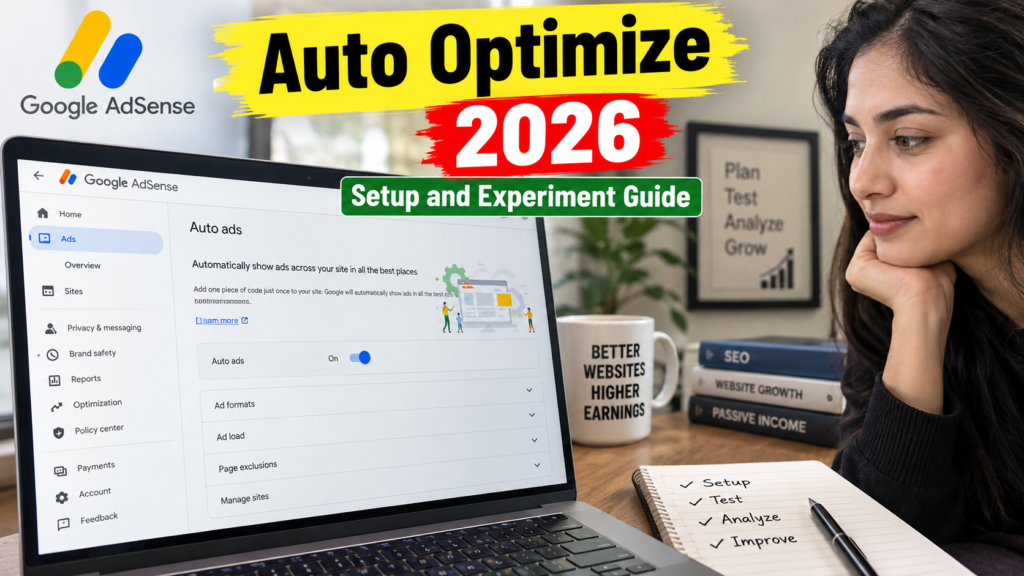
AdSense Auto Optimize allows Google to run advertising experiments on your behalf and identify settings that may improve revenue or user experience. Instead of permanently enabling a new ad format without testing it, Auto Optimize can divide your website traffic between the original configuration and an experimental variation.
For AdSense for Content, Auto Optimize is managed separately for each website. When enabled, Google can experiment with eligible Auto Ads formats and settings. Publishers can decide whether Google should automatically apply a winning result or wait for manual approval. 1
Auto Optimize does not guarantee higher earnings. Its results depend on website traffic, content, visitor location, devices, ad demand and the settings included in the experiment. This guide explains how to configure the feature, control its experiments and interpret the reported results.
What Is AdSense Auto Optimize?
AdSense Auto Optimize is an automated experimentation feature available for Google AdSense publishers. It runs controlled tests on eligible advertising settings and compares the results against your existing configuration.
A simplified experiment works like this:
- Your current advertising setup becomes the original version.
- Google creates a variation with one or more eligible setting changes.
- A selected percentage of visitors becomes part of the experiment.
- The experimental traffic is divided between the original and variation.
- Google compares revenue performance.
- A result becomes available after sufficient data is collected.
- The winning setting can be applied automatically or reviewed manually.
Google says Auto Optimize may test changes such as turning on an Auto Ads format or modifying Auto Ads format settings. Blocking controls and privacy settings are not included in AdSense for Content Auto Optimize experiments. 1
AdSense Auto Optimize vs Auto Ads
Auto Optimize and Auto Ads are connected, but they are not the same feature.
| Feature | Auto Ads | Auto Optimize |
|---|---|---|
| Main purpose | Automatically find and place advertisements | Automatically test eligible ad settings |
| Placement analysis | Yes | Uses experiments to compare configurations |
| Site-level management | Yes | Yes for AdSense for Content |
| Traffic split | No standard A/B split | Yes |
| Automatic winner | Not applicable | Optional |
| Publisher review | Settings are configured directly | Experiment result can be reviewed |
| Code changes for tests | Main AdSense code required | No separate experiment code required |
Auto Ads analyze page structure, content and existing Google advertisements to identify eligible placements. Auto Optimize tests changes to eligible Auto Ads formats and settings to determine whether a variation performs better. 2
You can use Auto Ads without enabling Auto Optimize. You can also turn on Auto Optimize and choose not to let Google automatically apply the winning result.
Auto Optimize vs Manual AdSense Experiments
Publishers can create manual Auto Ads experiments from the Optimization section or allow Auto Optimize to create tests automatically.
Manual Experiment
With a manual experiment, you decide:
- Which website to test
- Which settings to change
- What the variation should contain
- Whether Google can select the winner
- When to stop the test
Auto Optimize
With Auto Optimize:
- Google identifies eligible experimental settings.
- Experiments are initiated automatically.
- You can control the percentage of experiment traffic.
- You can block selected experiment types.
- You can enable or disable automatic winner application.
Both methods use traffic splitting to compare an original setup with a variation. Neither requires a separate change to the website’s AdSense code after the primary AdSense code is correctly installed. 3
What Settings Can Auto Optimize Test?
For AdSense for Content websites, Auto Optimize can test eligible Auto Ads formats and settings.
Possible examples include:
- Turning on anchor ads
- Turning on vignette ads
- Testing side rail ads
- Activating an eligible in-page format
- Changing an Auto Ads format setting
- Testing alternative format combinations
The exact experiment types available can differ according to your current setup and account eligibility. Google specifically states that Auto Optimize does not experiment with blocking controls or privacy settings for AdSense for Content. 1
Therefore, Auto Optimize should not automatically change:
- Your CMP configuration
- Privacy messages
- Consent choices
- Advertiser-blocking decisions
- Sensitive-category blocking
- Your privacy policy
Blocking-control experiments are a separate experiment type created through the Optimization section. 4
How to Enable AdSense Auto Optimize
Follow these steps for an AdSense for Content website:
- Sign in to Google AdSense.
- Click Ads in the main navigation.
- Find your website in the sites table.
- Click the Edit icon next to the website.
- Open the Auto optimize tab.
- Turn on Auto optimize.
- Decide whether to select Auto-apply experiment winner.
- Review the experiment-traffic percentage.
- Review blocked experiment types.
- Click Apply to site.
- Select the available save or testing option.
- Save your configuration.
Google manages AdSense for Content Auto Optimize at the site level. This means it can be enabled for one website while remaining disabled for another website in the same account. 1
Google’s May 9, 2025 rollout announcement stated that new sites would have Auto Optimize enabled by default with automatic winner application selected, 50% experiment traffic and no blocked experiments. Check every new site’s current configuration instead of assuming the preferred settings were applied manually. 5
Understanding Experiment Traffic
The experiment-traffic setting controls the percentage of visitors who can participate in Auto Optimize experiments.
Google recommends selecting 50% of traffic. If too little traffic is included, an experiment may take longer to collect useful data or may not produce a sufficiently reliable result. 6
Example With 50% Experiment Traffic
Imagine that your website receives 100,000 page views during the testing period.
If 50% of traffic is assigned to Auto Optimize experiments:
- Approximately 50,000 page views can be included in the experiment.
- The experiment traffic is divided between the original and variation.
- The remaining traffic continues outside that experiment allocation.
The exact visitor and page-view distribution can vary. The percentage setting should be understood as an experiment-allocation control rather than a guarantee of an exact number of monetized impressions.
Should You Reduce Experiment Traffic?
A smaller percentage may be appropriate when:
- The website performs important business transactions.
- You want to introduce changes cautiously.
- Your layout contains sensitive interactive elements.
- Advertising is only a secondary revenue source.
- You want stricter control over user experience.
However, reducing the percentage too far can delay or weaken the result. Google warns that showing an experiment to too few users can affect its results. 6
For a normal content website, 50% is a reasonable starting point unless you have a specific reason to choose a lower allocation.
Should You Enable Auto-Apply Experiment Winner?
The Auto-apply experiment winner setting allows Google to implement a winning configuration automatically after an experiment finishes.
Enable Auto-Apply When:
- You regularly monitor AdSense notifications.
- Your website uses a simple article layout.
- You are comfortable with automated ad-format changes.
- You do not have strict design or conversion requirements.
- You want to reduce manual optimization work.
Disable Auto-Apply When:
- You want to inspect every result manually.
- Your pages contain Apply, Download or Checkout buttons.
- The site uses custom interactive tools.
- User experience is more important than small revenue changes.
- You need approval from a developer or editorial team.
- You want to inspect mobile and desktop layouts before applying changes.
Google notifies publishers when experiments finish. If automatic application is enabled, publishers are also notified about the changes that were applied. Google says an automatically applied change can be undone when the underlying settings have not changed since the experiment ended. 1
For a new or recently redesigned website, manual winner review is the safer starting option.
How to Block Auto Optimize Experiment Types
You can prevent Google from running selected types of experiments on an individual website.
Follow these steps:
- Sign in to AdSense.
- Open Ads.
- Click Edit next to the required site.
- Open Auto optimize.
- Select Blocked experiments.
- Choose the experiment types you do not want Google to run.
- Click Apply to site.
- Save the configuration.
Google lists anchor and vignette formats as examples of experiment types publishers may choose to block. Changes to the blocked list apply to future experiments. 6
Experiment Types You May Want to Block
Consider blocking an experiment when:
- Vignette ads interrupt important navigation.
- Anchor ads overlap your sticky header or bottom menu.
- Side rail ads conflict with floating desktop tools.
- A particular format has already caused policy or usability problems.
- A website section is designed for distraction-free reading.
- Your business model depends on form submissions or product purchases.
Do not block every experiment type without examining your existing advertising setup. Excessive restrictions can reduce the number of useful tests Auto Optimize can run.
How Long Does an Auto Optimize Experiment Take?
Auto Optimize tests can run for up to 90 days, but they may finish earlier when enough information has been collected. The time required depends partly on the traffic available to the experiment. 7
Manual experiment guidance says meaningful results can take from several days to one or two months. Google recommends waiting until an experiment is marked Result ready before choosing a winner. 8
An experiment may take longer when:
- The site has low traffic.
- A small traffic percentage was selected.
- The tested format has limited eligibility.
- Desktop-only settings are tested on a mobile-heavy website.
- Revenue changes are too small to distinguish confidently.
- Advertiser demand changes significantly during the test.
Avoid stopping a test only because the variation is temporarily performing poorly during its first few days.
How to Review Auto Optimize Results
Open:
AdSense → Optimization → Experiments
The experiment can display one of these general statuses:
| Status | Meaning |
|---|---|
| Running | The experiment is collecting data |
| Result ready | Sufficient information is available to choose a winner |
| Finished | A winner was selected, applied automatically or the test was stopped |
Google’s experiment-result cards can include:
- Estimated monthly earnings scaled to 100% of traffic
- Revenue generated by the original
- Revenue generated by the variation
- Estimated revenue uplift
- Probability that one setting will perform better
Estimated monthly earnings are projections. They do not necessarily represent the amount that will ultimately be paid. 9
Example Result
Suppose an experiment reports:
- Original estimated monthly earnings: $100
- Variation estimated monthly earnings: $108
- Estimated revenue uplift: 8%
- Probability variation performs better: 82%
The variation may be worth considering, but you should also review:
- User engagement
- Mobile readability
- Page speed
- Pages per session
- Ad viewability
- Policy Center notices
- Accidental-click risk
An estimated revenue increase should not be applied if the experimental format covers important buttons or severely interrupts visitors.
Important Limitation of Auto Ads Experiment Results
Auto Ads experiment metrics show the effect across the complete website, including existing manually placed ad units. They do not report only the direct revenue generated by the newly tested Auto Ads format. 3
For example, enabling an anchor ad could change:
- Visitor scrolling
- Manual unit viewability
- Pages viewed per session
- Interaction with existing advertisements
- Overall site revenue
The reported result reflects the combined site-wide outcome. This broader measurement can be useful, but it means you should not interpret the uplift as revenue generated only by one new format.
Auto Optimize Best Practices
1. Establish a Baseline
Before enabling Auto Optimize, record:
- Estimated earnings
- Page RPM
- Impression RPM
- Coverage
- Active View
- Mobile revenue
- Desktop revenue
- Pages per session
- Average engagement
- Policy Center status
This gives you a reference for evaluating future changes.
2. Review Blocked Experiments
Block only formats that present a real design, policy or user-experience risk.
3. Start With Manual Winner Review
Use manual review until you understand how Auto Optimize affects your website.
4. Avoid Major Website Changes During Tests
Do not redesign your theme, migrate hosting and change every ad placement during the same experiment.
5. Check Mobile Layouts
Inspect:
- Sticky navigation
- Anchor ads
- Vignettes
- Cookie notices
- Apply buttons
- Download buttons
- Floating share tools
6. Wait for “Result Ready”
Early numbers can be unstable. Google recommends waiting for sufficient data before selecting a winner. 8
7. Evaluate Revenue and User Experience Together
Google describes Auto Optimize as a way to test improvements to revenue or user experience—not simply as a tool for showing the maximum possible number of ads. 1
Common Auto Optimize Mistakes
Enabling Auto-Apply Without Monitoring Changes
Automatic application saves time, but publishers should still review completed experiments and live page layouts.
Selecting Very Little Traffic
An experiment shown to too few users may take longer or produce weaker results.
Blocking Every Format
Blocking all eligible experiments leaves Auto Optimize with little or nothing useful to test.
Stopping Tests Too Early
A strong result from the first two days may disappear as more data is collected.
Looking Only at Revenue Uplift
Review engagement, page speed, Policy Center status and important website conversions.
Assuming Every Applied Change Is Permanent
Google allows some automatically applied changes to be undone when the underlying settings have not changed since the experiment finished. 1
Confusing Auto Optimize With Auto Ads
Auto Ads place eligible advertisements. Auto Optimize tests changes to eligible formats and settings.
30-Day AdSense Auto Optimize Plan
Days 1–5: Prepare
- Record baseline performance.
- Review current Auto Ads formats.
- Test important pages on mobile and desktop.
- Check the Policy Center.
- Identify formats that must not be tested.
Days 6–10: Configure
- Enable Auto Optimize.
- Start with 50% experiment traffic.
- Disable automatic winner application initially.
- Block unsuitable experiment types.
- Confirm that the settings were applied to the correct site.
Days 11–25: Monitor
- Review active experiment notifications.
- Avoid major theme changes.
- Check mobile and desktop layouts.
- Monitor Page RPM and engagement.
- Record user complaints.
- Do not stop the experiment based on early fluctuations.
Days 26–30: Preliminary Review
- Check whether the status is Result ready.
- Compare the original and variation.
- Review the probability score.
- Inspect the tested format on live pages.
- Keep the test running if sufficient data is unavailable.
A 30-day plan does not mean that every experiment will finish in 30 days. Tests can continue for longer when more information is required. 8
AdSense Auto Optimize Checklist
- Auto Optimize is enabled on the correct website.
- The experiment-traffic percentage has been reviewed.
- Auto-apply is enabled or disabled intentionally.
- Unsuitable experiment types have been blocked.
- Baseline earnings and RPM have been recorded.
- Mobile and desktop layouts have been tested.
- Important buttons are protected from ad-placement conflicts.
- The Policy Center has been reviewed.
- Major site changes are avoided during active tests.
- Experiments are allowed to collect sufficient data.
- Revenue and user experience are reviewed together.
- Applied changes are inspected on the live website.
Frequently Asked Questions
What is AdSense Auto Optimize?
AdSense Auto Optimize lets Google automatically run experiments on eligible advertising formats and settings. Publishers can review the result manually or allow Google to apply a winning configuration automatically. 1
Does Auto Optimize require new code?
No separate experiment code is required. The primary AdSense code must already be correctly installed on the website. 3
What percentage of traffic should I use?
Google recommends 50% for AdSense for Content Auto Optimize experiments. A lower allocation may affect the speed or quality of the results. 6
Can Auto Optimize change privacy settings?
No. Google says AdSense for Content Auto Optimize does not experiment with privacy settings or blocking controls. 1
Can I block vignette or anchor experiments?
Yes. Open the site’s Auto Optimize settings and add unsuitable formats to Blocked experiments. The changes apply to future experiments. 6
How long does an experiment run?
A test can run for up to 90 days and may finish earlier when sufficient data is collected. The exact duration depends partly on traffic volume. 7
Should I enable automatic winner application?
Enable it if you are comfortable with Google applying the winning configuration. Keep it disabled if you want to inspect every result and test the live layout before making a permanent change.
Can I reverse an automatically applied change?
Google says changes can be undone when the underlying settings have not changed since the experiment finished. 1
Does Auto Optimize guarantee higher earnings?
No. Experiments help compare configurations, but no result guarantees future revenue. Advertising demand, visitors, content and seasonal conditions can change.
Can Auto Optimize test manual ad units?
Google describes AdSense for Content Auto Optimize as testing Auto Ads formats and settings. Experiment results measure the impact across the full site, including existing manual units, but this does not mean Auto Optimize directly redesigns every manual placement. 1
Conclusion
AdSense Auto Optimize provides a controlled way to test eligible advertising settings instead of making permanent changes based on assumptions.
Start with the recommended 50% experiment traffic, block formats that are unsuitable for your website and initially review winners manually. Allow each experiment enough time to reach the Result ready stage.
Most importantly, do not evaluate a variation only by estimated revenue uplift. Check mobile usability, page speed, engagement, advertising density and accidental-click risk before applying the winning configuration.
Auto Optimize can reduce the manual work involved in AdSense testing, but publishers should continue monitoring every applied change and remain responsible for the website’s content, advertising implementation and user experience.