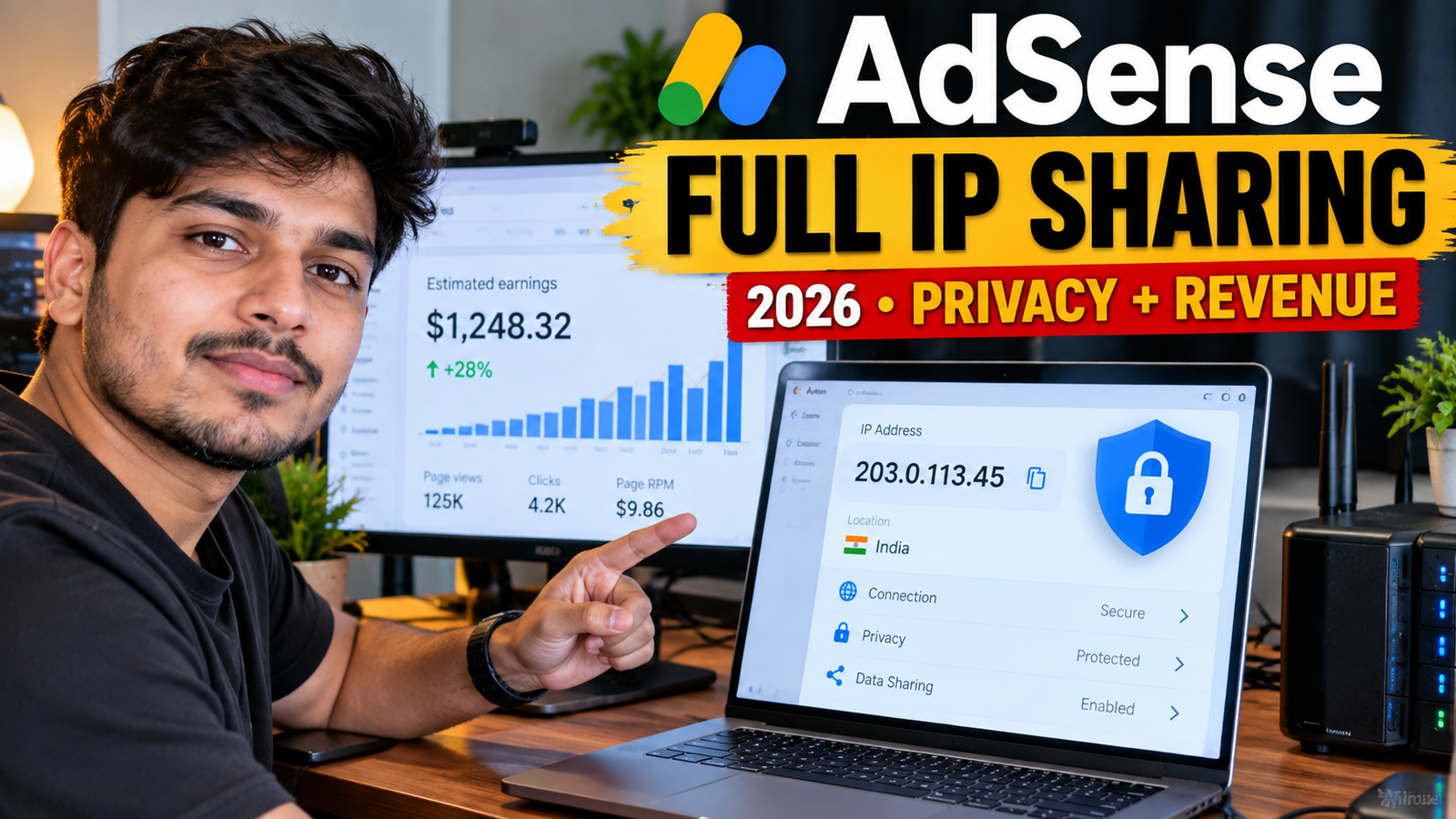
AdSense full IP address sharing is an account-level control that allows publishers to decide whether the complete visitor IP address can be included in eligible advertising bid requests.
Google introduced the feature on June 1, 2026. According to Google, many advertising buyers consider the full IP address an important signal for evaluating the quality and relevance of an advertising impression. Google says allowing the signal can help publishers maximize the value of their advertising inventory, although no specific revenue increase is guaranteed. 1
The setting is blocked by default. Unless a publisher changes it, only a truncated IP address is shared with eligible demand sources. Publishers should review the feature’s potential advertising value together with privacy, consent and disclosure responsibilities before enabling it. 4
This guide explains what the setting does, how to control it and how to evaluate its effect safely.
What Is AdSense Full IP Address Sharing?
An advertising bid request contains information that eligible buyers use to evaluate an available ad impression. The buyer can then decide whether to bid and how much the advertising opportunity is worth.
With the AdSense full IP address sharing control, publishers can allow the complete visitor IP address to be provided to the demand sources participating in eligible AdSense auctions.
Google identifies the following demand sources:
- Authorized Buyers
- Display & Video 360
- Google Ads
Authorized Buyers can include advertising networks, trading desks and demand-side platforms that bid on publisher inventory through Google’s advertising system. 4
The feature is managed through your AdSense dashboard. Google’s implementation instructions do not require publishers to modify the AdSense code installed on their websites. 4
Full IP Address vs Truncated IP Address
When full IP sharing remains blocked, AdSense shares only the truncated IP address in eligible bid requests.
| Setting | Information shared |
|---|---|
| Full IP sharing blocked | Truncated IP address |
| Full IP sharing allowed | Full IP address on eligible requests |
| Non-personalized ad request | Full-IP sharing is restricted |
| Limited-ad request | Full-IP sharing is restricted |
| Restricted-data-processing request | Full-IP sharing is restricted |
The setting is blocked by default, which means your existing ad-serving configuration does not change unless you actively update the control. 4
Allowing the feature does not necessarily mean the complete address will be shared on every ad request. Google restricts sharing on specific privacy-related request types.
Who Receives the Full IP Signal?
When enabled and eligible, the complete IP address can be provided to all supported AdSense demand sources.
1. Google Ads
Advertisers using Google Ads may participate in auctions for advertising inventory available on your website.
2. Display & Video 360
Display & Video 360 is Google’s demand-side platform used by advertising agencies and enterprise advertisers.
3. Authorized Buyers
Authorized Buyers can include:
- Advertising networks
- Trading desks
- Demand-side platforms
- Parent buying accounts
- Child buying accounts using a parent’s bidding technology
Google allows AdSense publishers to review and block individual Authorized Buyers. However, blocking buyers can negatively affect revenue because those buyers can no longer compete for the publisher’s inventory. 5
Full IP sharing is an account-level data-sharing decision. It is different from the Authorized Buyers control, which determines which individual buyers are allowed to bid.
What Does the Feature Not Do?
Enabling AdSense full IP address sharing does not:
- Guarantee higher Page RPM
- Guarantee more advertisers
- Guarantee that every request will be filled
- Remove your CMP requirements
- Override non-personalized-ad restrictions
- Override limited-ad restrictions
- Override restricted data processing
- Fix invalid traffic
- Remove an ad-serving limit
- Replace your privacy policy
- Change low-value content into valuable content
- Repair an AdSense policy violation
Google describes the feature as a signal that may help buyers evaluate the quality and relevance of an impression. It does not publish a guaranteed CPC, CPM or revenue increase. 6
When Is Full IP Address Sharing Restricted?
Google states that full IP sharing is restricted on:
- Non-personalized ad requests
- Limited-ad requests
- Restricted-data-processing requests
Therefore, even when you allow the account-level setting, Google applies more restrictive behavior to these request types. 4
Non-Personalized Ads
Non-personalized ads do not use a visitor’s historical behavior for ad personalization. They can use contextual information such as the current page and general location.
Limited Ads
Limited ads are a more restrictive privacy-related advertising mode. They do not use personal data for ad personalization and operate under separate eligibility and demand conditions.
Restricted Data Processing
Restricted data processing limits how personal information can be used for certain advertising purposes, including eligible US-state privacy use cases.
Do not confuse any of these modes with an account-level limited ad-serving enforcement, which reduces the number of advertisements an account can display because of traffic-quality assessment or invalid-traffic concerns.
How to Enable AdSense Full IP Address Sharing
Follow these steps:
- Sign in to Google AdSense.
- Click Brand safety.
- Select Content.
- Open Blocking controls.
- Click Manage Ad serving.
- Find the Personalized ads section.
- Locate Share full IP address.
- Change the blocking control to allow sharing.
- Click Save.
- Record the date on which you changed the setting.
Google’s control wording can appear counterintuitive because it operates as a blocking control:
- To allow full IP sharing, disable the blocking toggle.
- To block full IP sharing, enable the blocking toggle.
Google says the blocked option is the default state. When blocked, only the truncated IP address is shared. 4
After saving, return to the same section and confirm that the selected state reflects your intended privacy decision.
How to Disable Full IP Address Sharing
To stop sharing the full IP address:
- Open Brand safety.
- Select Content.
- Click Blocking controls.
- Open Manage Ad serving.
- Find the full-IP control under Personalized ads.
- Enable the blocking toggle.
- Click Save.
When full IP sharing is blocked, AdSense continues using the truncated address. Google says leaving the feature blocked does not change the existing serving logic. 4
You do not need to remove or reinstall the AdSense code when changing this account-level setting.
Should You Enable AdSense Full IP Address Sharing?
There is no universal answer for every publisher.
Consider Allowing It When:
- Advertising revenue is an important part of your business.
- Your privacy team has reviewed the data-sharing implications.
- Your privacy policy accurately describes relevant data practices.
- You understand which demand sources may receive the signal.
- You use a suitable CMP where required.
- You are prepared to compare results over a meaningful period.
- You want to provide eligible buyers with another inventory-quality signal.
Consider Keeping It Blocked When:
- Your organization follows a data-minimization policy.
- Your privacy disclosures have not been reviewed.
- Your legal team requires more information.
- Your audience includes privacy-sensitive users.
- Advertising is only a small part of your business.
- You are not prepared to monitor performance after the change.
- Your publication has committed to sharing only truncated network information.
The decision should consider both monetization and privacy—not only the possibility of higher revenue.
Privacy and Consent Considerations
Google’s advertising contracts do not classify IP addresses as PII in the same way as email addresses, full names or phone numbers. However, Google explicitly warns that data excluded from its PII definition can still be considered personal data under the GDPR or personal information under applicable US-state privacy laws. 3
Before allowing full IP sharing, review:
- Your privacy policy
- Cookie and advertising disclosures
- CMP configuration
- Selected advertising partners
- Regional privacy messages
- Consent Mode settings
- User opt-out processes
- Data-minimization commitments
- Internal data-governance policies
Google does not provide universal privacy-policy wording because websites and legal requirements differ across countries. Publishers are responsible for accurately describing their own data practices. 7
European Visitors
Publishers serving personalized ads to visitors in the EEA, UK or Switzerland must use an appropriate Google-certified CMP integrated with the IAB Transparency and Consent Framework.
Publishers must provide disclosures and obtain consent for cookies or local storage where required, and for the collection, sharing and use of personal data for ad personalization. Enabling full IP sharing does not replace these obligations. 8
Does Full IP Address Sharing Increase AdSense Revenue?
It may improve the value of eligible inventory, but no result is guaranteed.
Google says many buyers view the complete IP address as an important signal for assessing impression quality and relevance. Giving buyers additional information may help them evaluate whether they want to compete for the impression. 6
Actual performance can still depend on:
- Visitor country
- Website niche
- Advertiser demand
- Traffic quality
- Device category
- Ad format
- Viewability
- Content quality
- Seasonality
- Number of competing buyers
- Privacy-related serving restrictions
A publisher receiving mostly NPA, LTD or RDP traffic may see less effect because full-IP sharing is restricted on those requests. 4
How to Test the Revenue Impact
Google does not promise a particular percentage increase. Use a controlled before-and-after comparison instead of assuming the feature worked because one day’s earnings increased.
Record a Baseline
Before changing the setting, record at least 14 to 28 days of:
- Estimated earnings
- Page RPM
- Impression RPM
- Ad impressions
- Ad requests
- Coverage
- Active View
- Mobile revenue
- Desktop revenue
- Country performance
- Ad-format performance
Enable the Setting
Record:
- Exact change date
- Previous state
- New state
- Any other account changes
- Website traffic level
- Major content or advertising updates
Avoid Other Major Changes
During the testing period, avoid simultaneously changing:
- Auto Ads density
- Anchor settings
- Vignette frequency
- Manual ad placements
- CMP provider
- WordPress theme
- Hosting platform
- Paid traffic campaigns
Changing several variables together makes it difficult to determine whether full IP sharing affected performance.
Compare Similar Periods
Compare equivalent:
- Countries
- Devices
- Traffic sources
- Content sections
- Date ranges
- Advertising formats
Do not compare a high-traffic holiday period with a normal week and attribute the complete difference to one account setting.
30-Day Testing Plan
Days 1–7: Privacy and Technical Review
- Review Google’s feature documentation.
- Check whether the setting is currently blocked.
- Review your privacy policy.
- Confirm your CMP works correctly.
- Review NPA, LTD and RDP traffic.
- Record baseline reports.
Days 8–14: Enable and Monitor
- Allow full IP sharing.
- Record the exact activation date.
- Avoid unrelated advertising changes.
- Check the Policy Center.
- Monitor overall coverage and impressions.
- Review unusual traffic patterns.
Days 15–25: Segment Performance
Compare:
- Mobile versus desktop
- Major visitor countries
- High-traffic articles
- Auto Ads versus manual units
- Personalized versus restricted serving
- Current period versus baseline period
Days 26–30: Evaluate
Ask:
- Did estimated earnings increase consistently?
- Did Page RPM or Impression RPM change?
- Did coverage improve?
- Was the change limited to particular countries?
- Were there major traffic or seasonal changes?
- Does the privacy decision remain appropriate?
Continue testing if the website does not have enough traffic for a meaningful conclusion.
Common Mistakes to Avoid
Expecting Instant Revenue Growth
One day of data is not sufficient. Advertiser demand changes continuously.
Confusing “Off” With “Blocked”
The control behaves as a blocking setting. Follow Google’s instructions carefully:
- Blocking toggle disabled means sharing is allowed.
- Blocking toggle enabled means sharing is blocked. 4
Assuming Full IP Is Shared on Every Request
Google restricts it on NPA, LTD and RDP requests.
Ignoring Privacy Disclosures
An IP address may still be personal data under applicable legislation even if Google does not classify it as PII in its advertising contracts. 3
Blocking Authorized Buyers at the Same Time
If you enable full IP sharing while blocking several buyers, you may reduce the competition needed to evaluate the feature properly. Google warns that blocking Authorized Buyers can negatively affect revenue. 5
Treating the Setting as an Invalid-Traffic Solution
Google already operates systems for identifying invalid clicks and impressions. Publishers remain responsible for traffic quality, and the full-IP-sharing setting is not presented as a solution for an account-level invalid-traffic enforcement. 9
Changing Multiple Ad Settings Together
Avoid simultaneously enabling full IP sharing, increasing Auto Ads density and changing vignette frequency.
AdSense Full IP Address Sharing Checklist
- I understand what information the feature shares.
- I know which demand sources can receive the signal.
- I reviewed the default blocked setting.
- I understand the blocking-toggle behavior.
- My privacy policy has been reviewed.
- My CMP is correctly configured where required.
- My visitors can exercise applicable privacy choices.
- NPA, LTD and RDP restrictions are understood.
- I recorded a performance baseline.
- The exact setting-change date is documented.
- I avoided unrelated changes during testing.
- Performance is segmented by country and device.
- Authorized Buyer controls have been reviewed.
- The Policy Center has been checked.
- A privacy professional has reviewed the decision where necessary.
Frequently Asked Questions
What is AdSense full IP address sharing?
It is an account-level setting that lets publishers allow the complete visitor IP address to be shared on eligible bid requests with Authorized Buyers, Display & Video 360 and Google Ads. 4
When was the feature introduced?
Google announced the AdSense feature on June 1, 2026. 6
Is full IP sharing enabled by default?
No. Google says the feature is blocked by default. Only a truncated IP address is shared unless you change the setting. 4
How do I allow full IP sharing?
Open Brand safety → Content → Blocking controls → Manage Ad serving. Under Personalized ads, disable the full-IP blocking control and save the change. 4
Do I need to change my AdSense code?
Google’s setup instructions manage the feature through the AdSense dashboard and do not require a separate ad-code change. 4
Is the full IP shared on non-personalized ads?
Google says full-IP sharing is restricted on non-personalized, limited-ad and restricted-data-processing requests. 4
Does the feature guarantee higher RPM?
No. Google says it can help maximize inventory value by providing a signal that many buyers consider important. It does not guarantee a specific RPM or revenue increase. 6
Is an IP address considered PII?
Google excludes IP addresses from its advertising-contract interpretation of PII. However, it warns that IP addresses may still be personal data or personal information under privacy legislation. 3
Does this setting replace a CMP?
No. Publishers serving personalized ads to eligible users in the EEA, UK and Switzerland must still meet Google’s CMP and consent requirements. 8
Can I turn the setting off later?
Yes. Return to Manage Ad serving and enable the blocking control. AdSense will then share only the truncated IP address on eligible requests. 4
Should every publisher enable it?
Not necessarily. The decision depends on monetization goals, privacy obligations, audience expectations and internal data-governance policies.
Conclusion
AdSense full IP address sharing gives publishers a new way to provide eligible advertising buyers with an additional signal for evaluating impression quality and relevance.
The feature is blocked by default. Publishers who allow it can share the full address with Authorized Buyers, Display & Video 360 and Google Ads on eligible bid requests. Full-address sharing remains restricted for non-personalized ads, limited ads and restricted-data-processing requests.
Before enabling the feature, review your privacy policy, CMP, regional consent obligations and internal data practices. Then record a performance baseline and evaluate the change over a meaningful testing period.
Full IP sharing may help improve the value of some inventory, but it does not guarantee higher RPM, repair policy issues or solve invalid traffic. The final decision should balance advertising performance with transparency, privacy and visitor trust.